How-To Install Qmark
If you are having trouble installing Qmark please send an email to; humans@cerebralcircuit.ai with the subject line “Qmark Support: Your Name” and we will assist you as soon as possible.
Step 1: Download the File
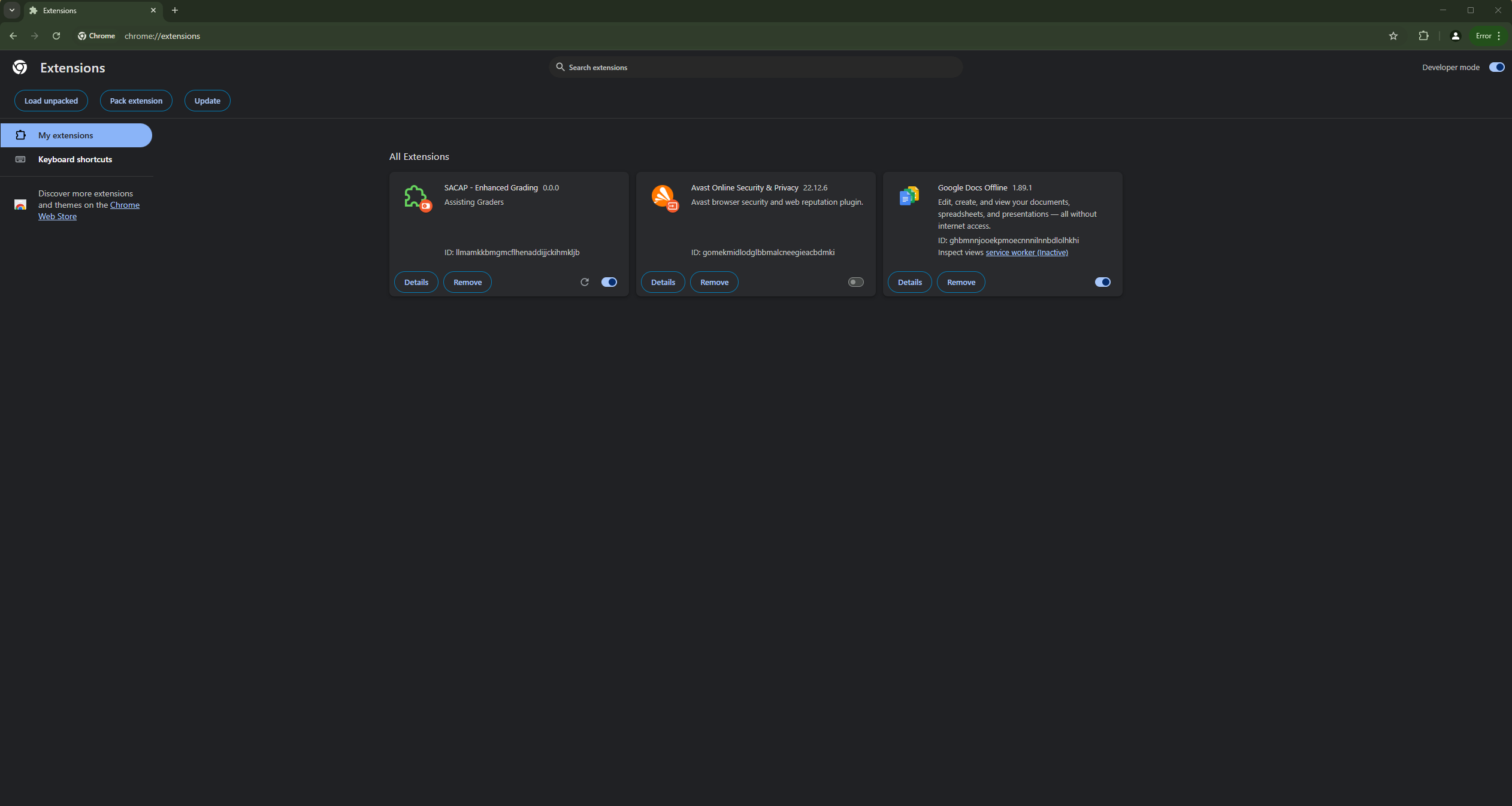
Download this file to your downloads folder: ChromeV2.zip
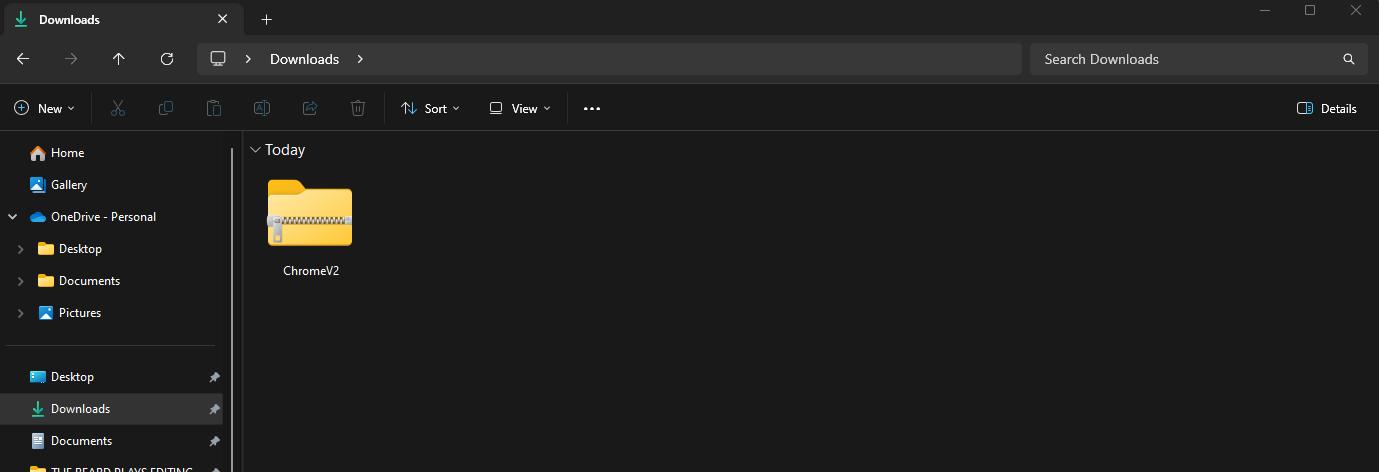
Step 2: Extract the Folder
Right click on the downloaded folder and extract it to your downloads folder.
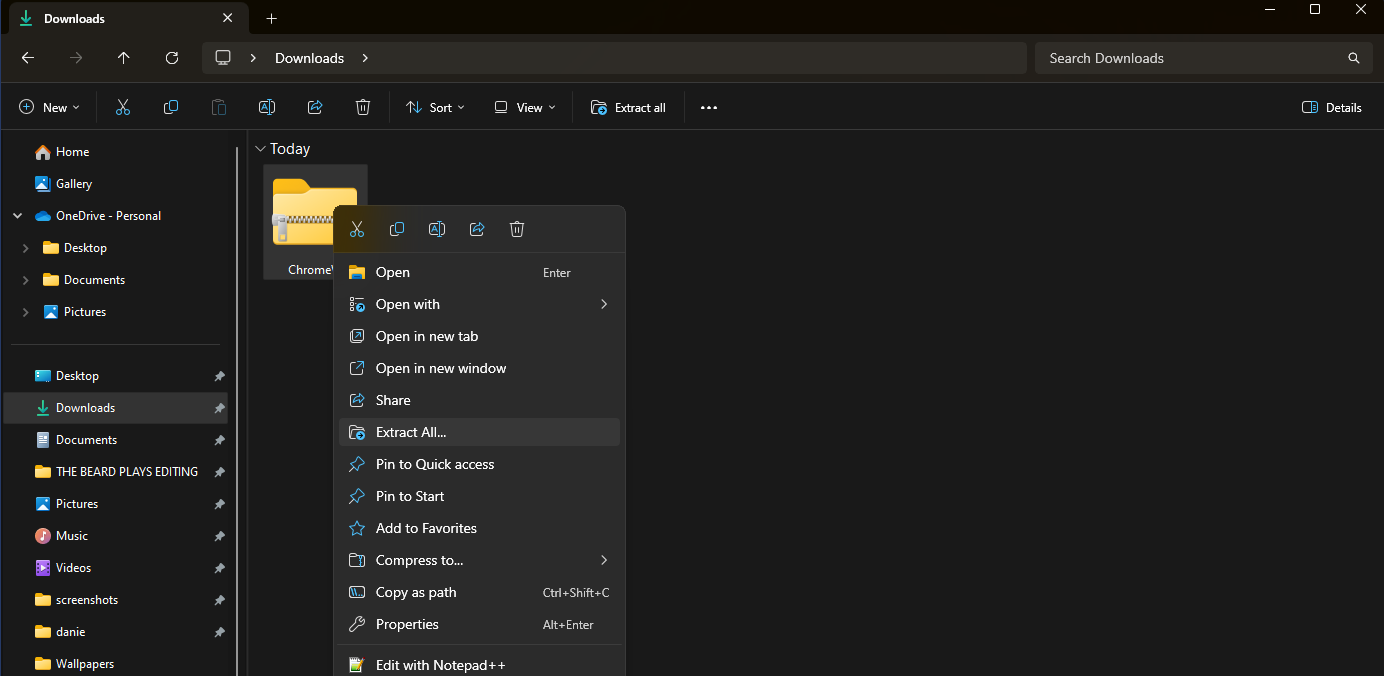
Step 3: Verify the Extraction
It should look like this when complete.
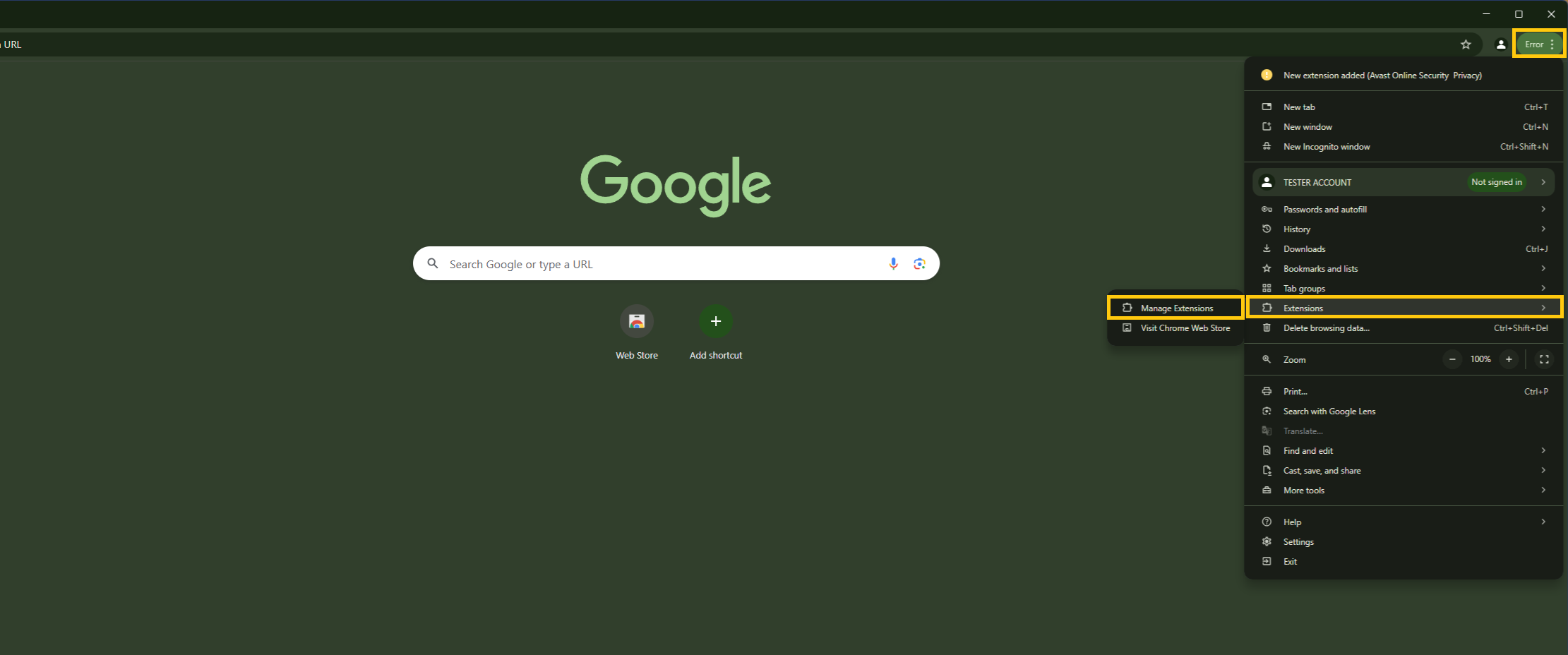
Step 4: Open Chrome Extensions
Open Chrome and click on the three little dots in the top right-hand corner. Navigate to the "Extensions" menu, then click on "Manage Extensions".
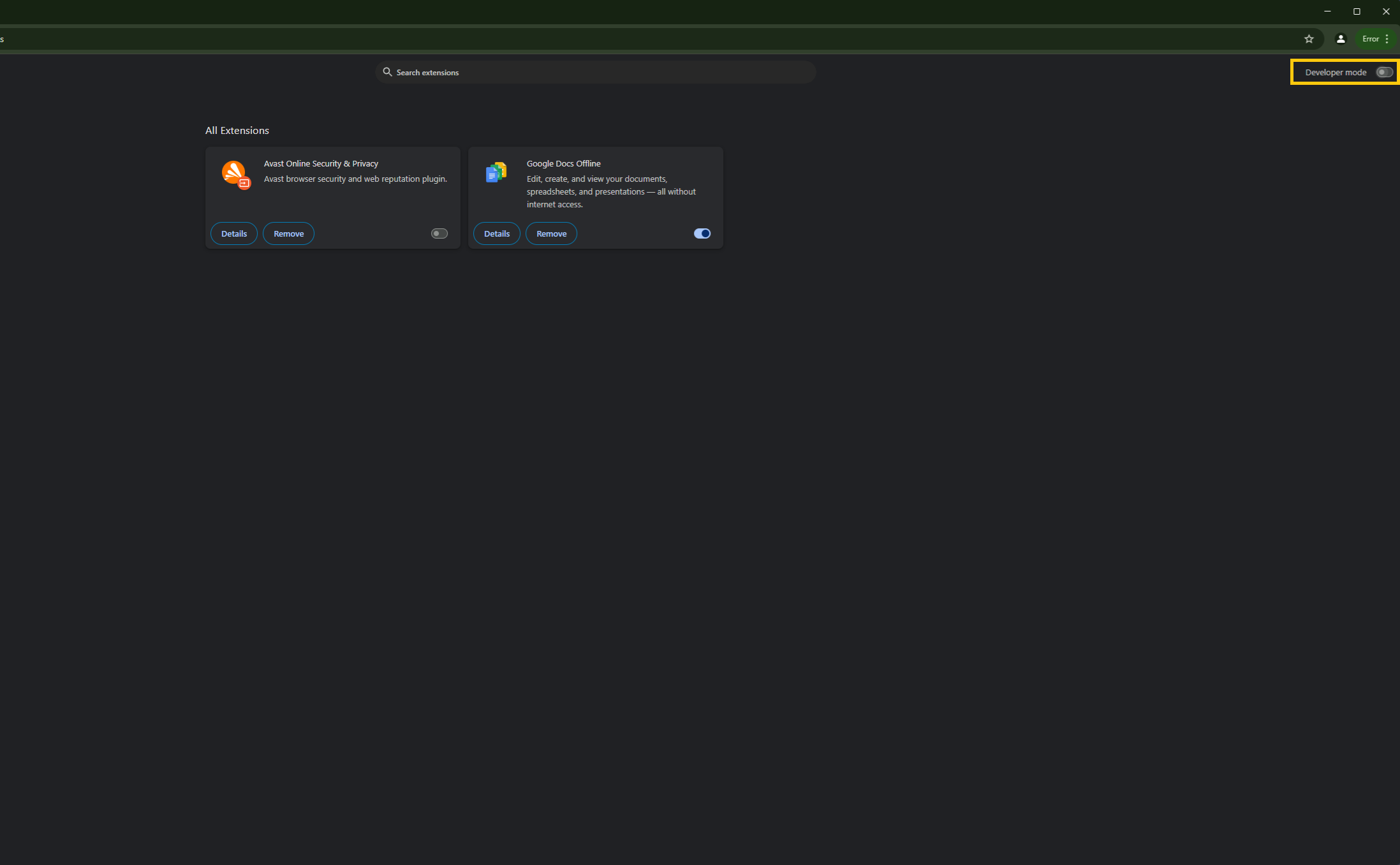
Step 5: Enable Developer Mode
In the top right-hand corner click to enable Developer Mode.
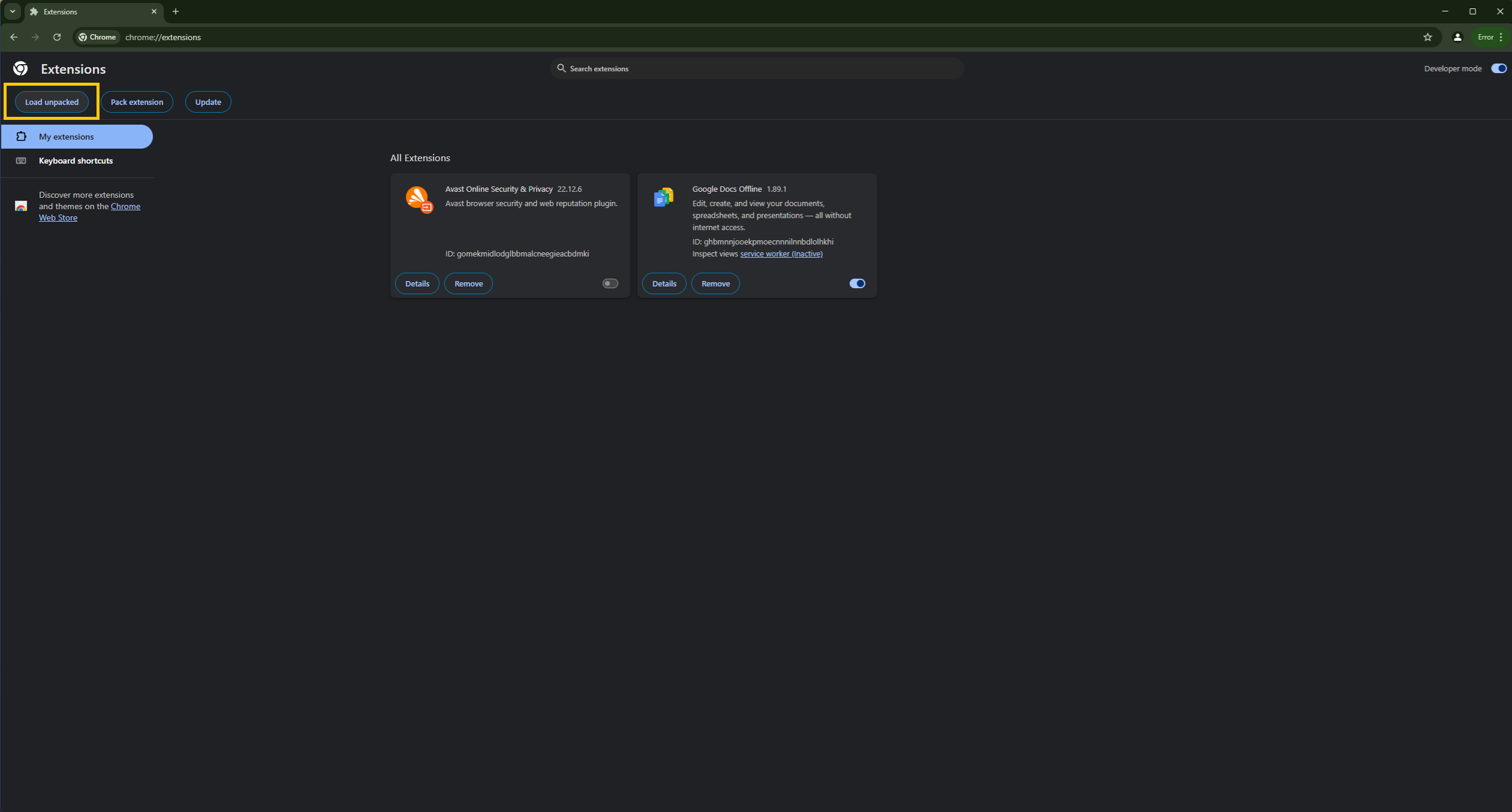
Step 6: Load Unpacked Extension
In the top left of your screen click on "Load unpacked".
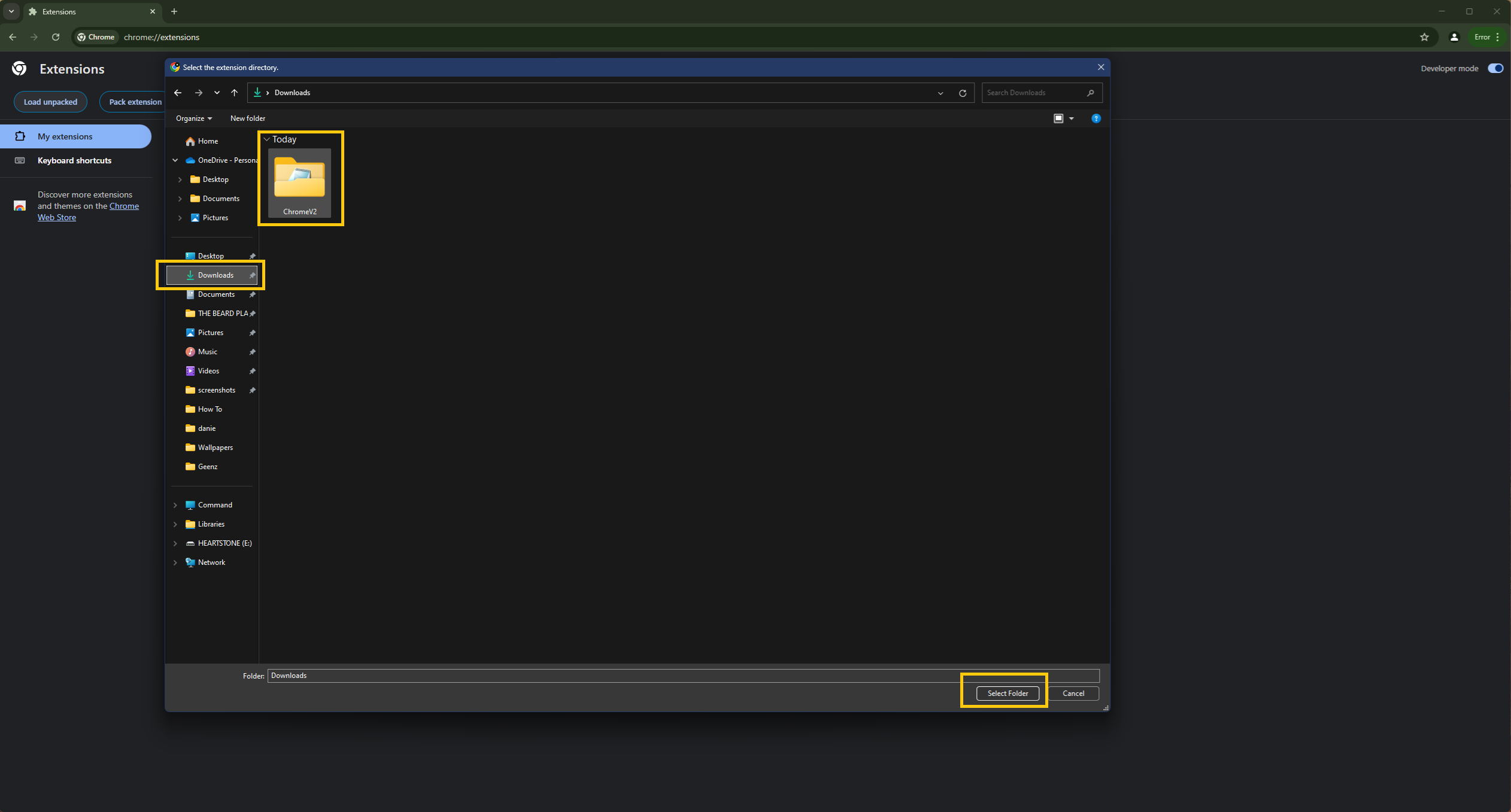
Step 7: Select the Extracted Folder
Navigate to your downloads folder, click on the folder you extracted, and then click "Select folder".
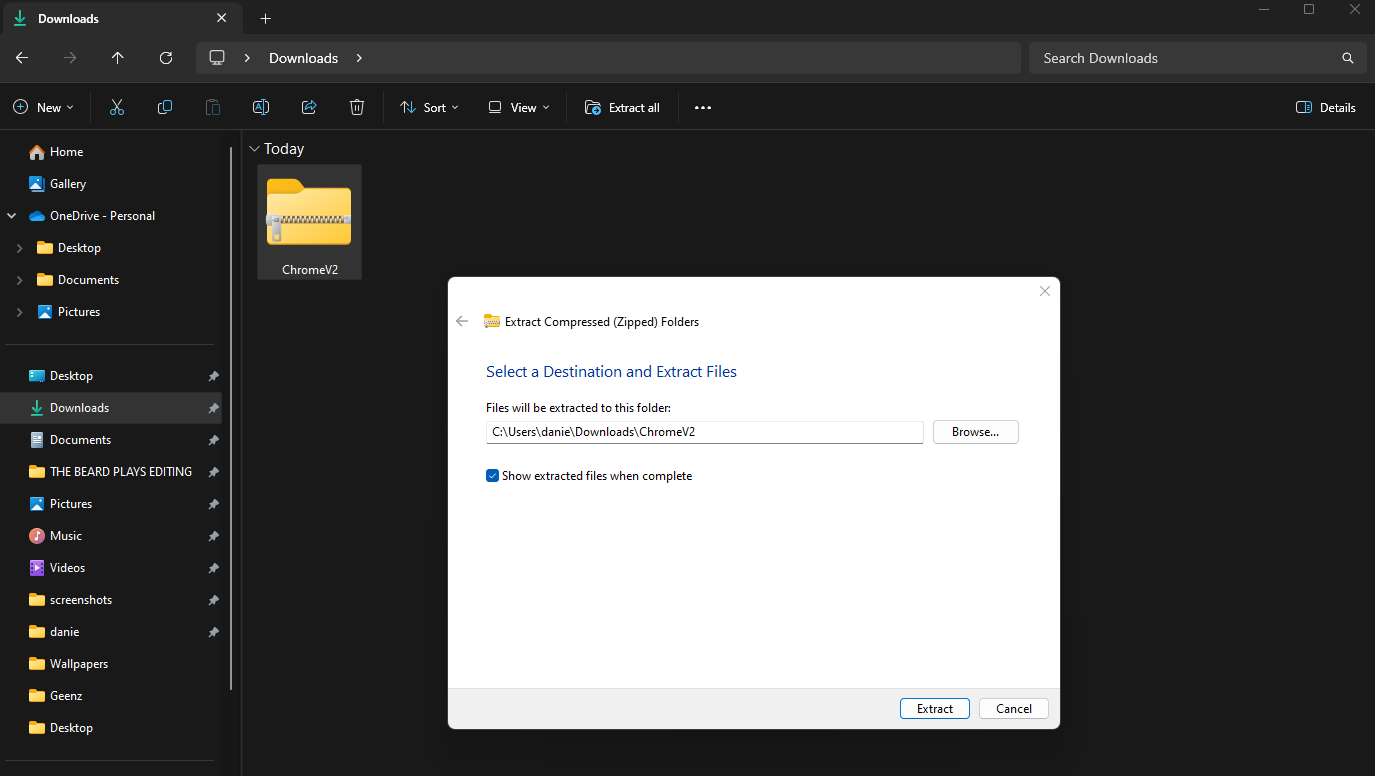
Step 8: Installation Complete
The extension should now be installed – it should look like the image below.